
BigClash Mobile App Australia
BigClash Casino delivers its mobile experience through a Progressive Web App rather than a native iOS or Android download. The PWA installs in two taps on iPhone or Android and produces a home-screen icon that opens the casino in full-screen mode — pokies, live dealer tables, sportsbook, deposits, and live chat all run inside the same interface. This page details why no app store version exists, the exact installation steps for iOS Safari and Android Chrome, the mobile features available to Australian players, and the supported device matrix. All transactions remain SSL-encrypted on mobile.
Does BigClash Have a Native App?
The straightforward answer is no — BigClash does not publish a native iOS or Android application in the Apple App Store or Google Play. Both stores apply strict policies that restrict real-money casino applications outside specific licensed markets, and the Anjouan offshore licence held by BigClash does not qualify for inclusion in either store. Instead, the casino delivers a Progressive Web App accessible directly through the mobile browser. Industry experts consider PWAs significantly safer than third-party APK downloads, which frequently carry malware risk and are not endorsed by the casino in any form.
Install BigClash PWA on iPhone
iOS users install the BigClash PWA through Safari — Chrome and Firefox on iPhone do not support the home-screen install feature due to Apple platform restrictions. The full sequence takes under 30 seconds from start to finish.
iOS Installation Steps
- Open the BigClash Casino website inside the Safari browser
- Tap the Share button — the square icon with an upward arrow — at the bottom of the screen
- Scroll the share menu and select "Add to Home Screen"
- Edit the icon name if desired and confirm by tapping "Add" in the top-right corner
The BigClash icon then appears on the iPhone home screen. Tapping it launches the casino in full-screen mode without the Safari address bar, behaving identically to a native app. The PWA supports deposits via PayID, push notifications, and 24/7 live chat once the player signs in.
Install BigClash PWA on Android
Android users install the BigClash PWA through Chrome, with Samsung Internet and Firefox also supported. Chrome typically displays an automatic "Install BigClash" prompt at the bottom of the screen after roughly 30 seconds of active site use. Players who miss the prompt can install manually through the browser menu.
Android Installation Steps
- Open the BigClash Casino website inside Chrome
- Tap the three-dot menu in the top-right corner of the browser
- Select "Install app" or "Add to Home screen" — the exact label depends on the Chrome version
- Confirm the installation in the dialog that follows
The BigClash icon then appears on the Android home screen and inside the app drawer. Industry experts strongly recommend avoiding APK downloads from third-party sources, since these files often carry malware and are not endorsed by BigClash. New players can open a BigClash account immediately after installation.
What Players Can Do Inside the BigClash Mobile App
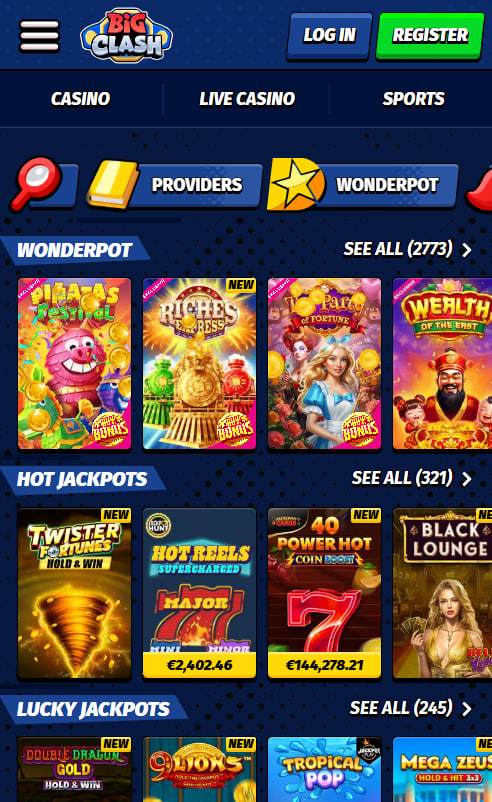
The Progressive Web App provides full feature parity with the desktop site. Australian players access the complete game catalogue, the sportsbook, the cashier, and account-management tools from a single interface.
Mobile App Features at BigClash
- 10,000+ pokies optimised for portrait viewing on any phone size
- 600+ live dealer tables in landscape mode with HD streaming
- Full sportsbook with bet builder, live betting, and cashout
- PayID, cryptocurrency, and e-wallet deposits completed in three taps
- 24/7 live chat support accessible directly from the dashboard
- Push notifications for promotion drops and tournament reminders
- Single sign-on synchronised with the desktop browser session
The PWA refreshes automatically whenever BigClash deploys updates, eliminating manual reinstallation. KYC document uploads work through the mobile interface, although industry experts suggest using a desktop for first-time submission when scanned files require higher resolution.
Browser and Device Compatibility
The BigClash PWA supports iPhone running iOS 13 or later via Safari, and Android 8 or later via Chrome, Samsung Internet, or Firefox. Devices with at least 2 GB of RAM produce the smoothest live-dealer streaming. iPad and Android tablets are fully supported with the same installation flow used on smartphones.
Mobile Bonuses and Promotions
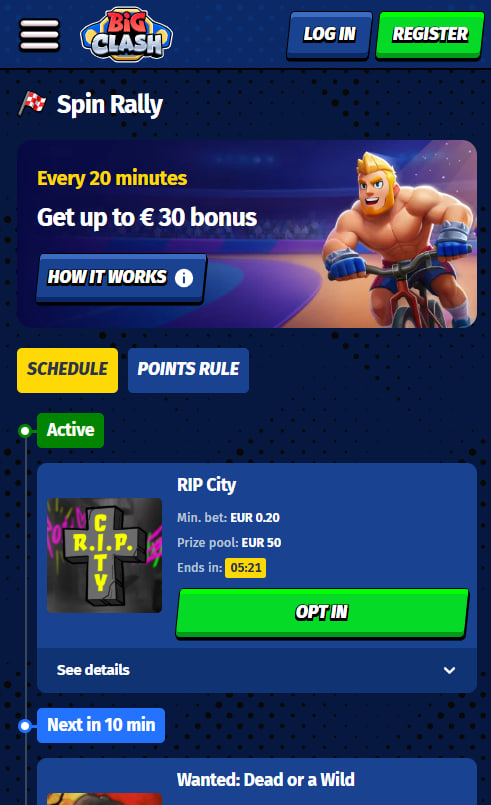
Every promotion available on desktop — the welcome package, weekday reload spins, weekend match, 15% VIP cashback, and the Bonus Crab feature — runs identically on the mobile PWA. There are no mobile-exclusive offers and no separate mobile bonus codes. Claiming an active offer takes two taps from the in-account promotions screen. The complete promotional structure with wagering rules, caps, and validity windows is documented inside the BigClash bonus guide.

Rosamund Whitcombe
Rosamund Whitcombe reviews BigClash Casino at big-clash-cas.com, the 2025-launched site operated by NovaForge Ltd on the Soft2Bet platform under Anjouan ALSI-152406028. Covers the LARGEST pokies library in the AU series — 10,000+ titles from 80+ providers including Pragmatic Play / Play'n GO / NetEnt / Yggdrasil / NoLimit City / Hacksaw / Evolution / Spribe / SmartSoft — alongside 600+ live tables, the full integrated sportsbook sharing a single wallet, the 100%/A$750 + 200 FS welcome + signature Bonus Crab and Train Your Fighter €11,000 ladder, 4-tier VIP with 15% cashback at only 5x wagering, PayID/crypto banking, and Progressive Web App mobile.